Attendance
Your team’s working time, clear for everyone.
Attendance tracks team working time and absences. Project time tracks hours by client or project: the two modules are independent.
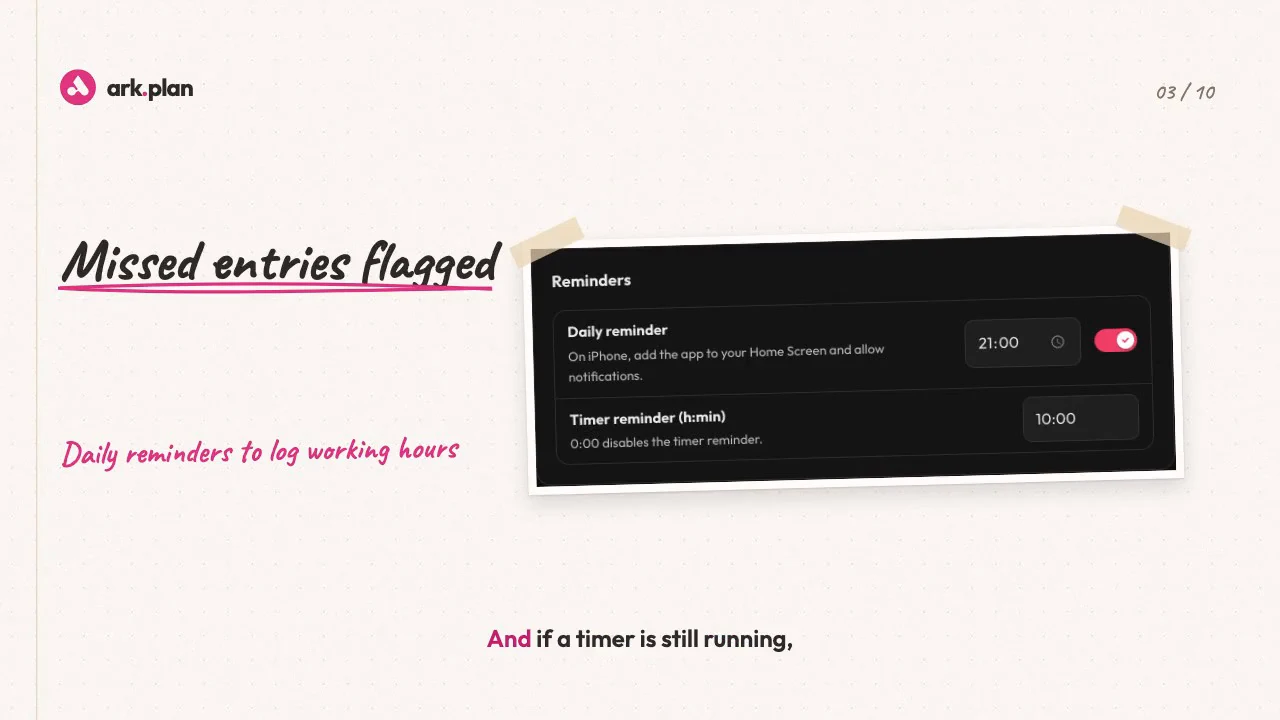
Video transcript
Timesheets, a spreadsheet, holidays counted by hand. And every month’s end, the same question: who worked how much? With ark.plan Attendance, everyone logs their day on their phone in seconds. Even offline: it all syncs once the signal is back. Forgot? A reminder arrives in the evening, on working days only. And if a timer is still running, you’re alerted. Each person has a contract: full time, eighty percent without Wednesdays, irregular hours, or volunteer. Planned time is calculated for you. A three-day camp? The flat-rate activity counts eight and a half hours a day, with actual hours shown alongside. Your canton’s public holidays add themselves, down to regional variants and half days. Your closures too. A leave request? While pending, it deducts nothing. Once approved, holidays update, in hours, based on the work rate. The balance is simple: hours counted minus planned time. Above your threshold, overtime is flagged for payroll; below it, it’s made up later. And every term has its own help, with an example. At month’s end, everyone confirms, you close, and the export goes to payroll: PDF, Excel or CSV. ark.plan, Attendance. Working time, clear for everyone.
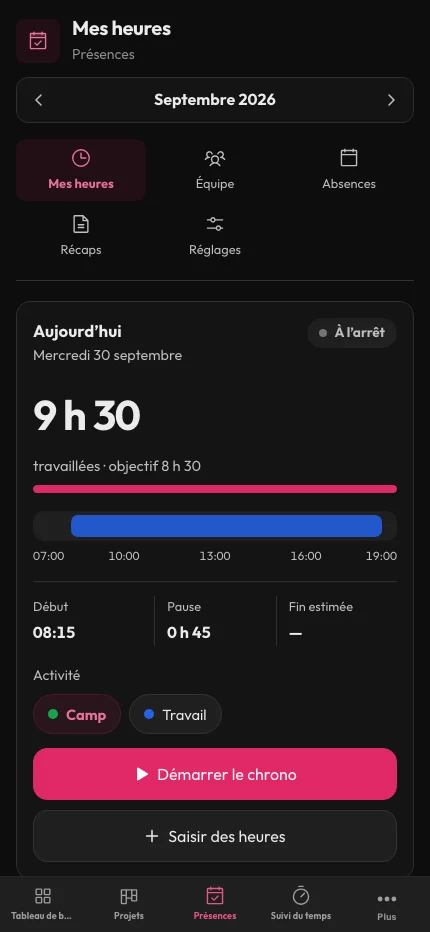
Everyone records their day from their phone.
A timer or a direct entry, as you prefer. Without a connection, entries stay on the device and are sent as soon as it returns. A reminder arrives in the evening, only on working days.
- Timer started and stopped in one tap
- Direct entry for special cases
- Works offline
- Alert when the timer is still running
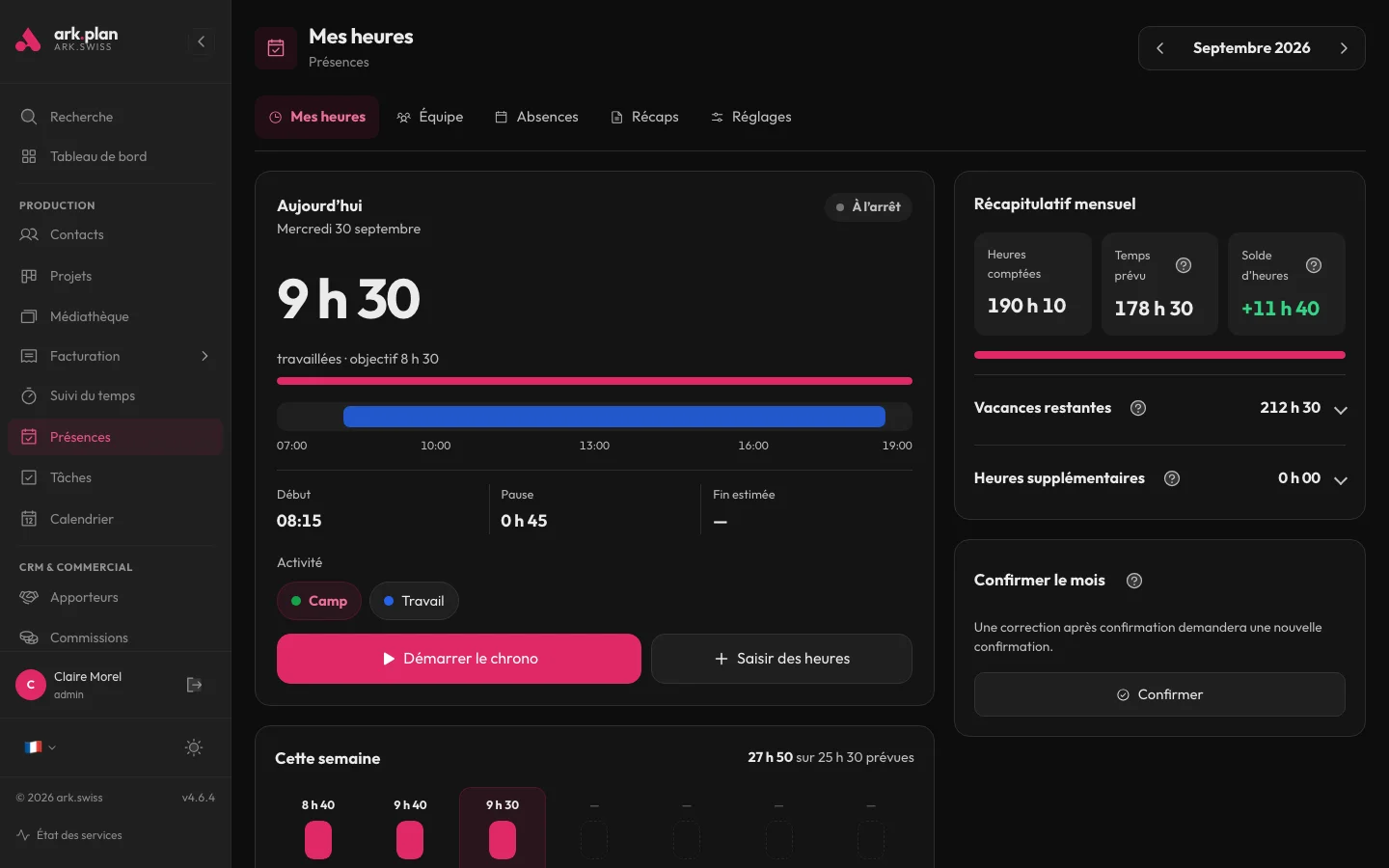
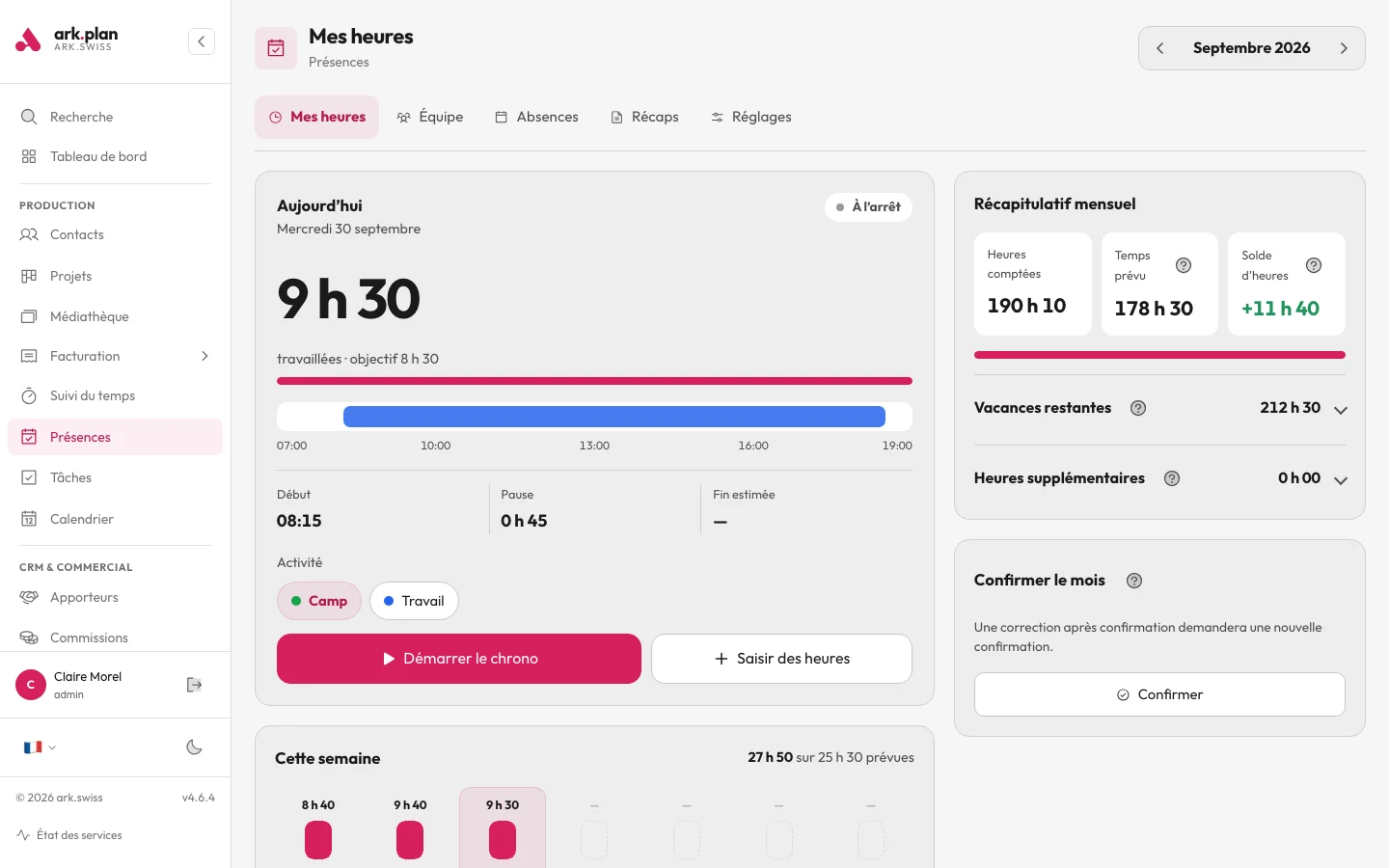
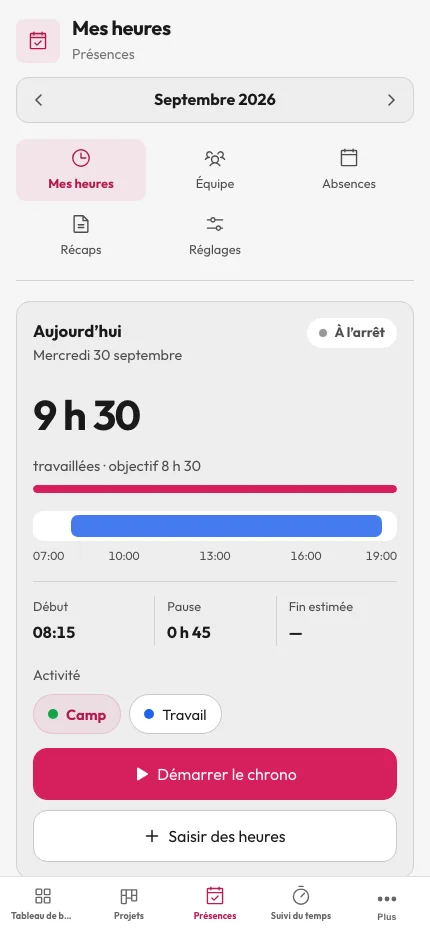
Planned time follows each person’s contract.
Full time, part time with a day off, irregular hours or volunteering: planned time is calculated automatically. A flat-rate activity, such as a camp, counts a fixed duration per day; actual hours stay visible alongside.
- Activity rate and working days per person
- Irregular hours and volunteers
- Flat-rate daily activities
- Company closures taken into account
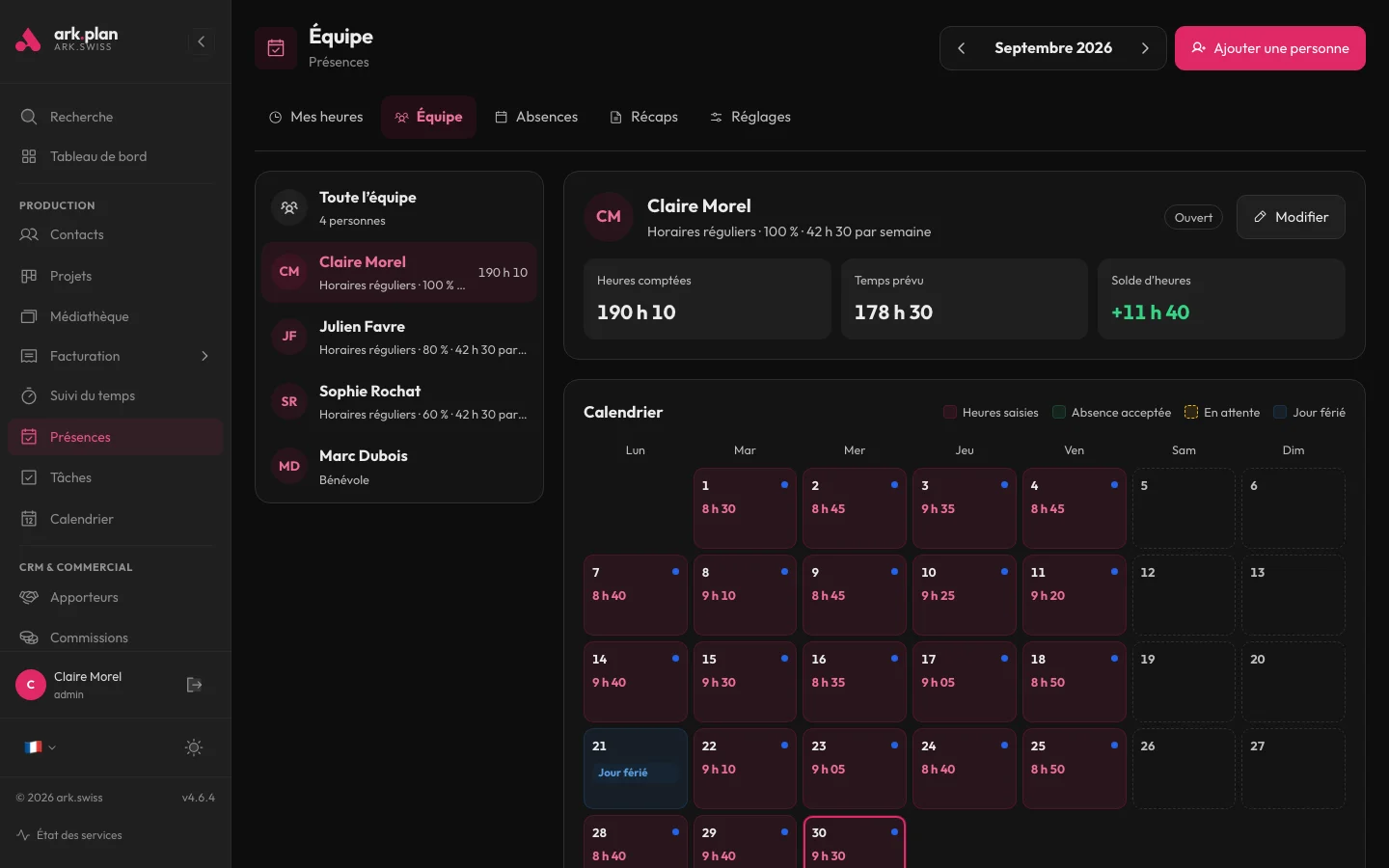
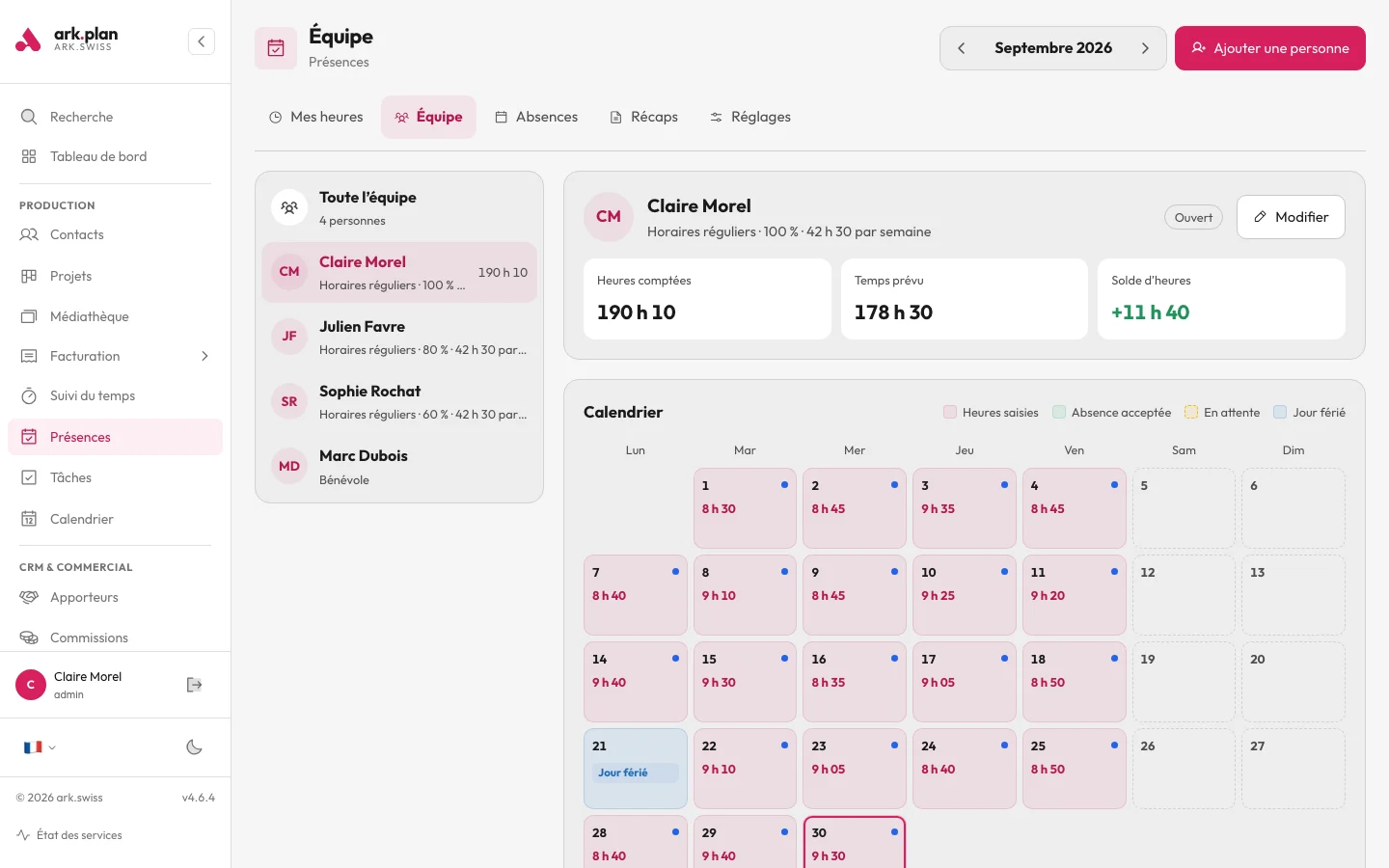
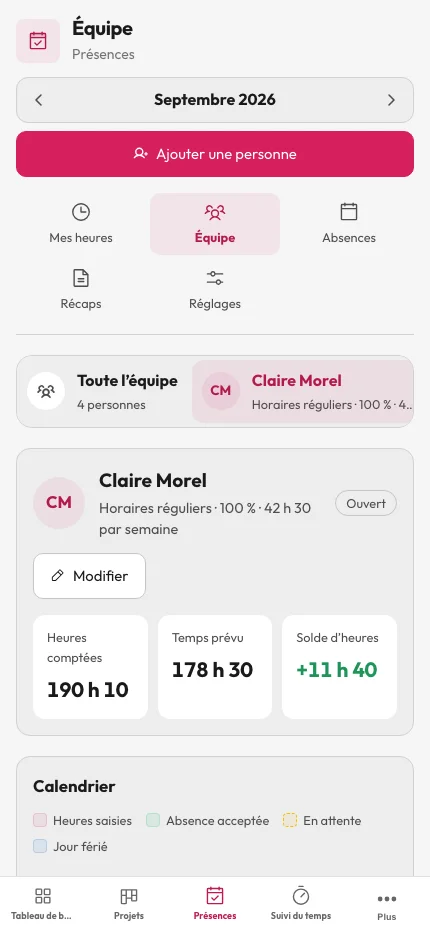
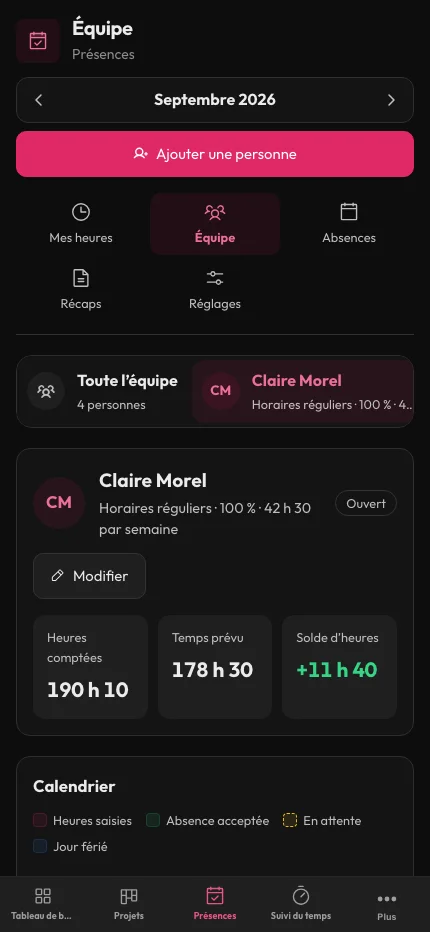
A simple balance: hours counted minus planned time.
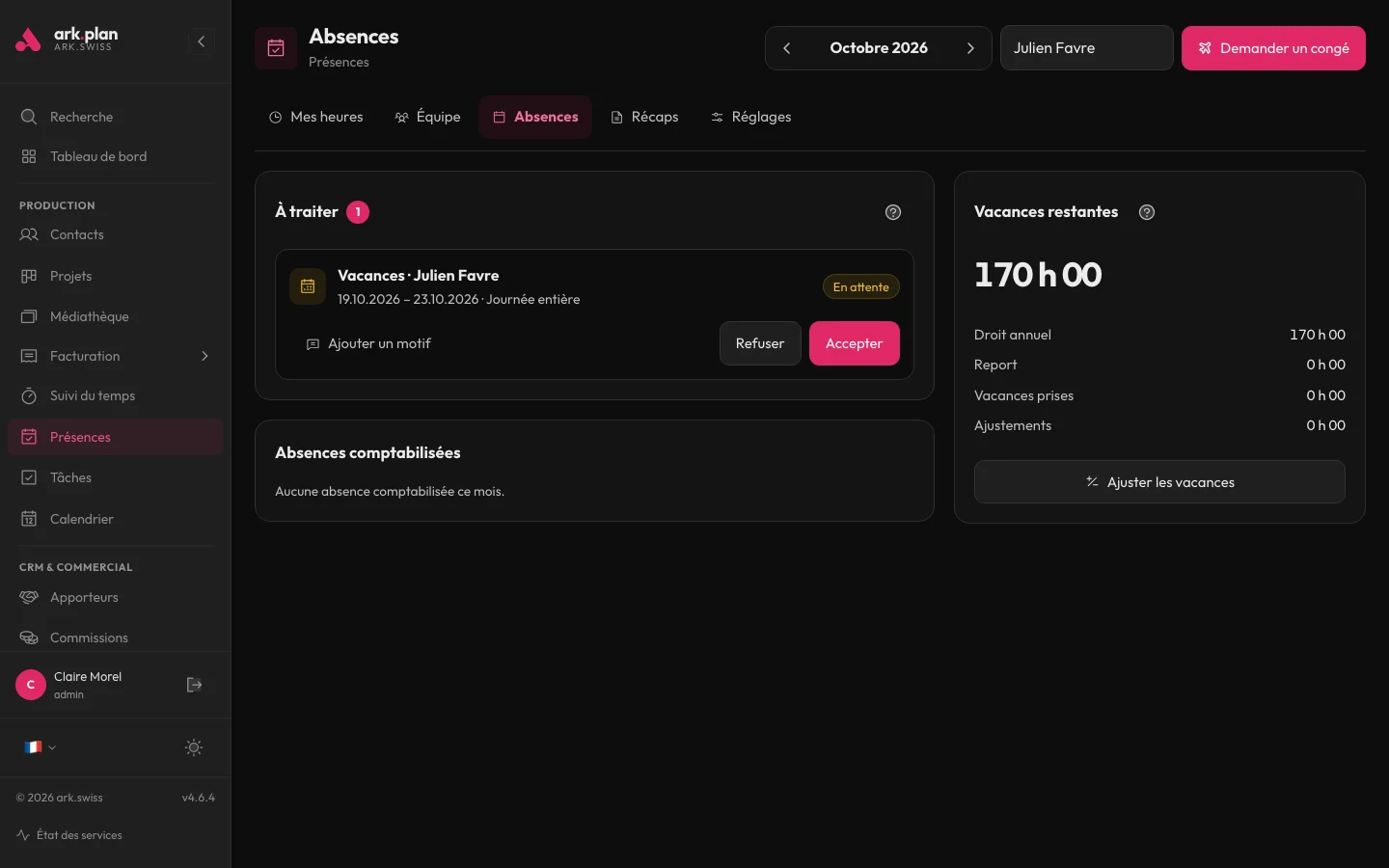
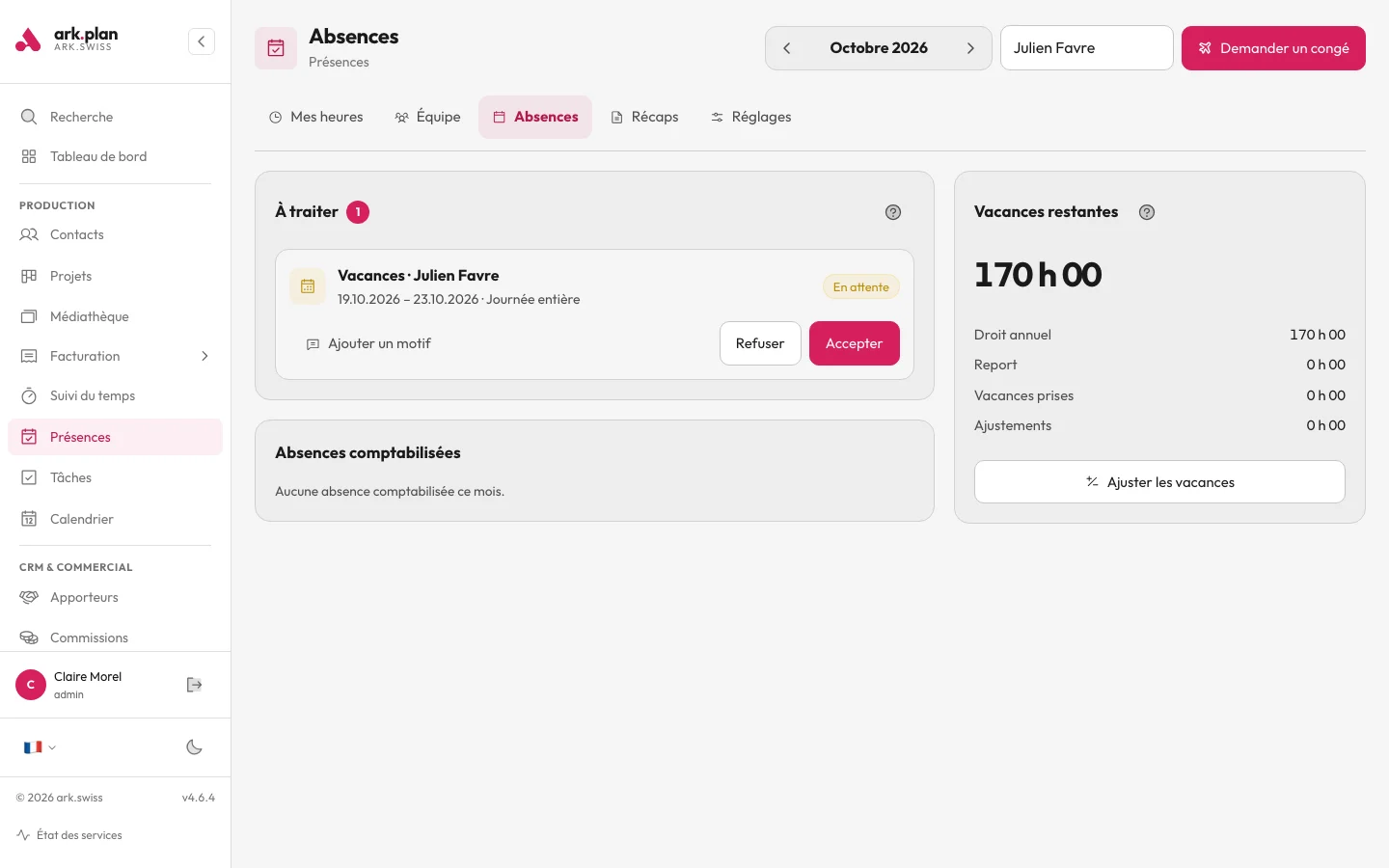
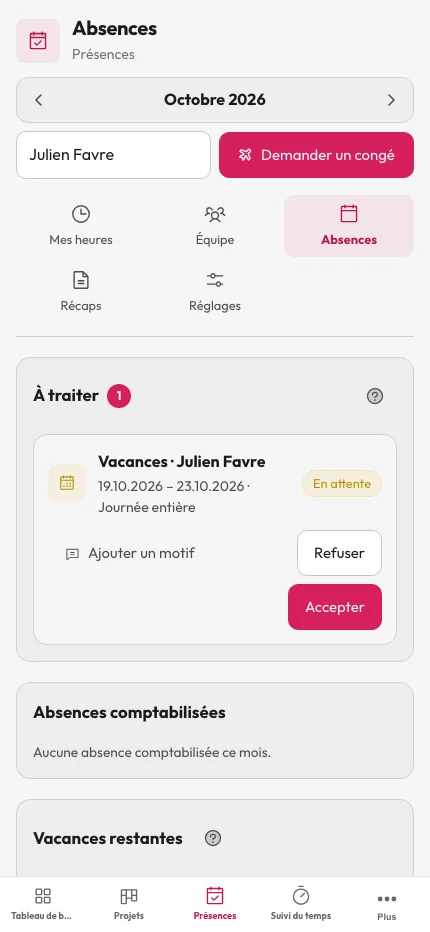
A leave request deducts nothing while it is pending. Once approved, holidays update in hours, according to the rate. Above the threshold you set, overtime is flagged as paid; below it, hours are made up.
- Leave requests to approve
- Holidays calculated in hours by rate
- Adjustable overtime threshold
- Help with an example for every concept
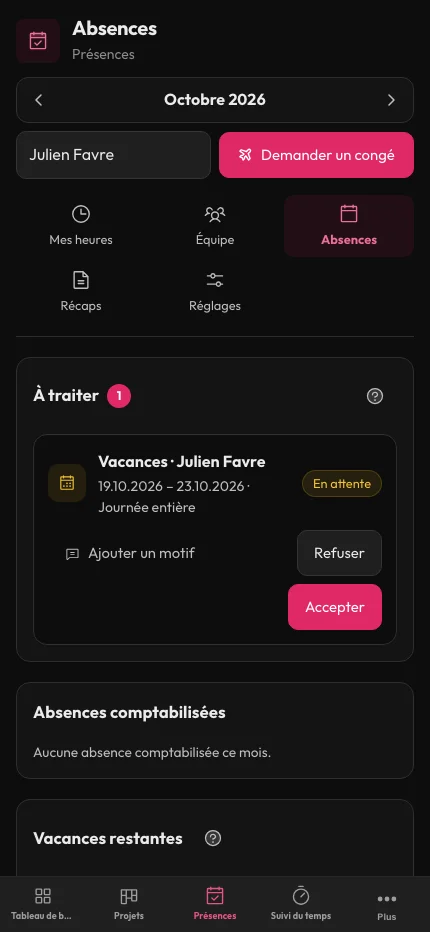
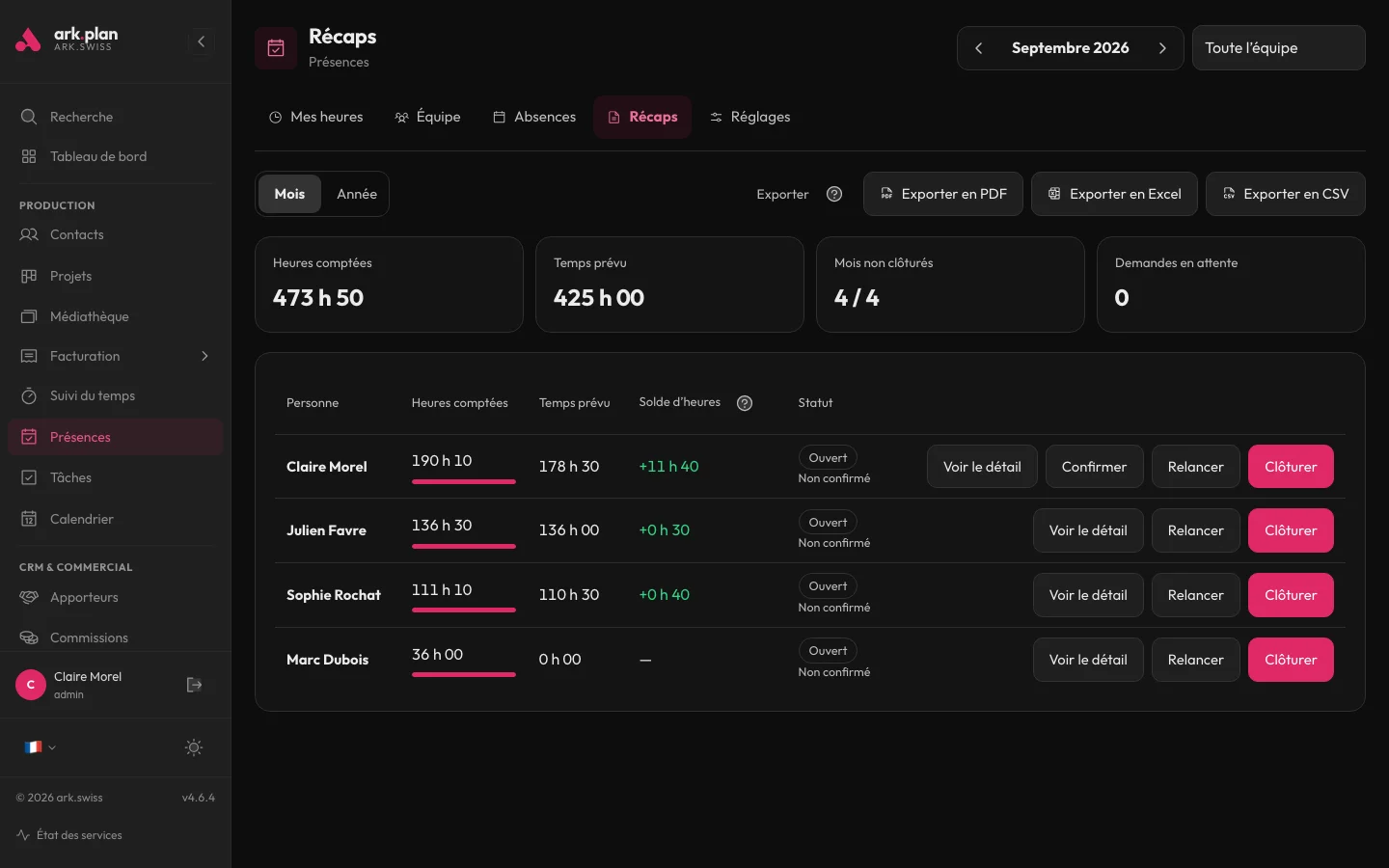
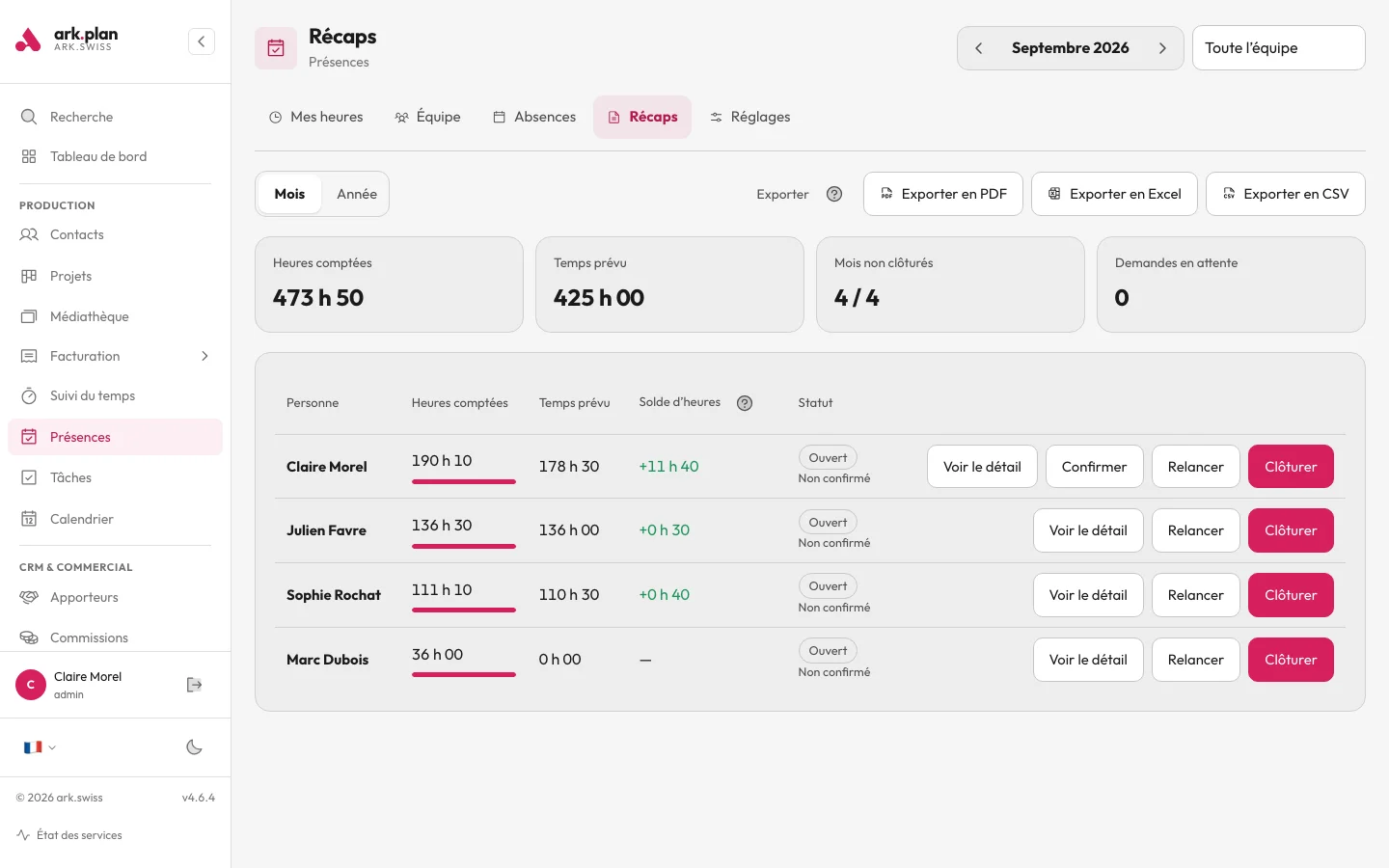
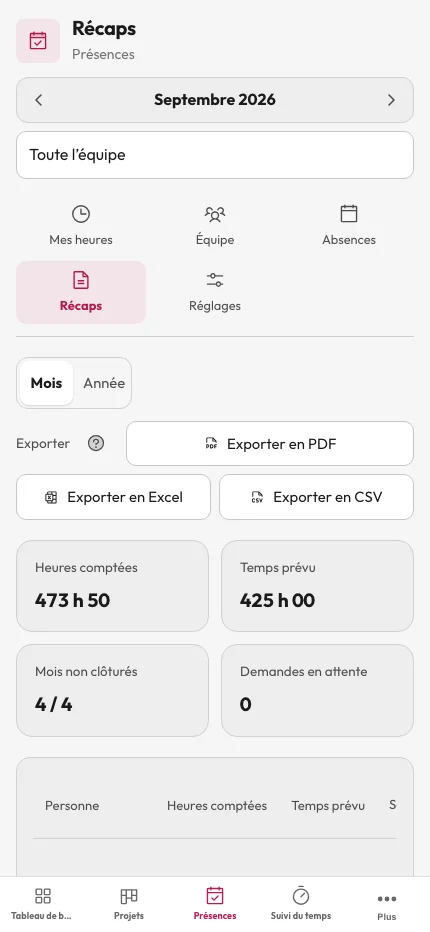
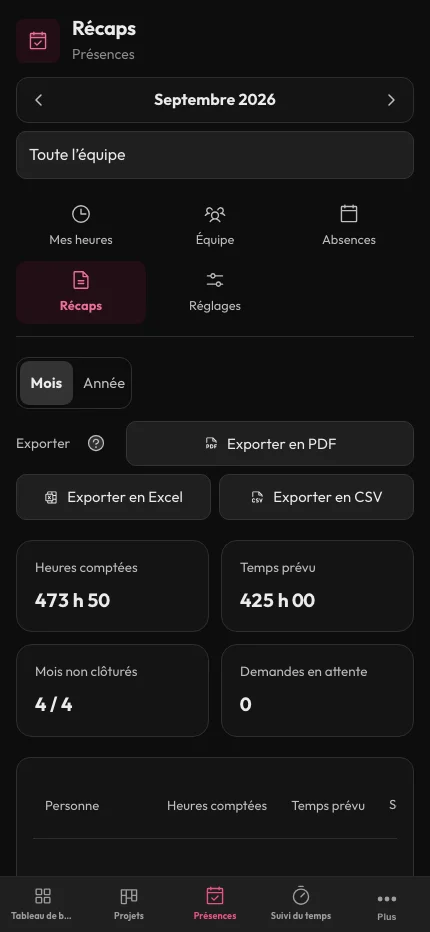
You close the month and export the hours.
If you enable this step, everyone confirms their month before closing. The export then goes out as PDF, Excel or CSV, with monthly and yearly summaries.
- Confirmation by each person, if enabled
- Month closing
- PDF, Excel or CSV export
- Monthly and yearly summaries
Attendance
200 MB of storage. Unlimited users, AI included. Prices excl. tax. Also included in Starter, Pro and Business.
CHF 14/monthor CHF 140 a year
Choose my modulesTry it with your next client.
Choose a module or a bundle, then invite your team.